PSA Connection & API Users
Written By jillian dubbeling
Last updated About 1 month ago
Ekkie connects to your PSA (Autotask) to read tickets and write back its work — labels, assignments, ticket notes, and time entries. Each Ekkie service connects through its own dedicated PSA API user, set up by the Ekkie support team when you onboard. You can review each connection, check its health, and — because every service has its own user — switch any single service off at the PSA level whenever you want.
A separate API user per service
Each Ekkie service — Labeling, Dispatching, and EkkieChat — signs in to Autotask as its own dedicated API user, not a shared one.
That user is the identity behind everything the service does in your PSA, so its actions (ticket notes, time entries, and label or assignment changes) are attributable to that specific service.
Keeping the users separate means each service's access — and its on/off state — is independent of the others.
The PSA page
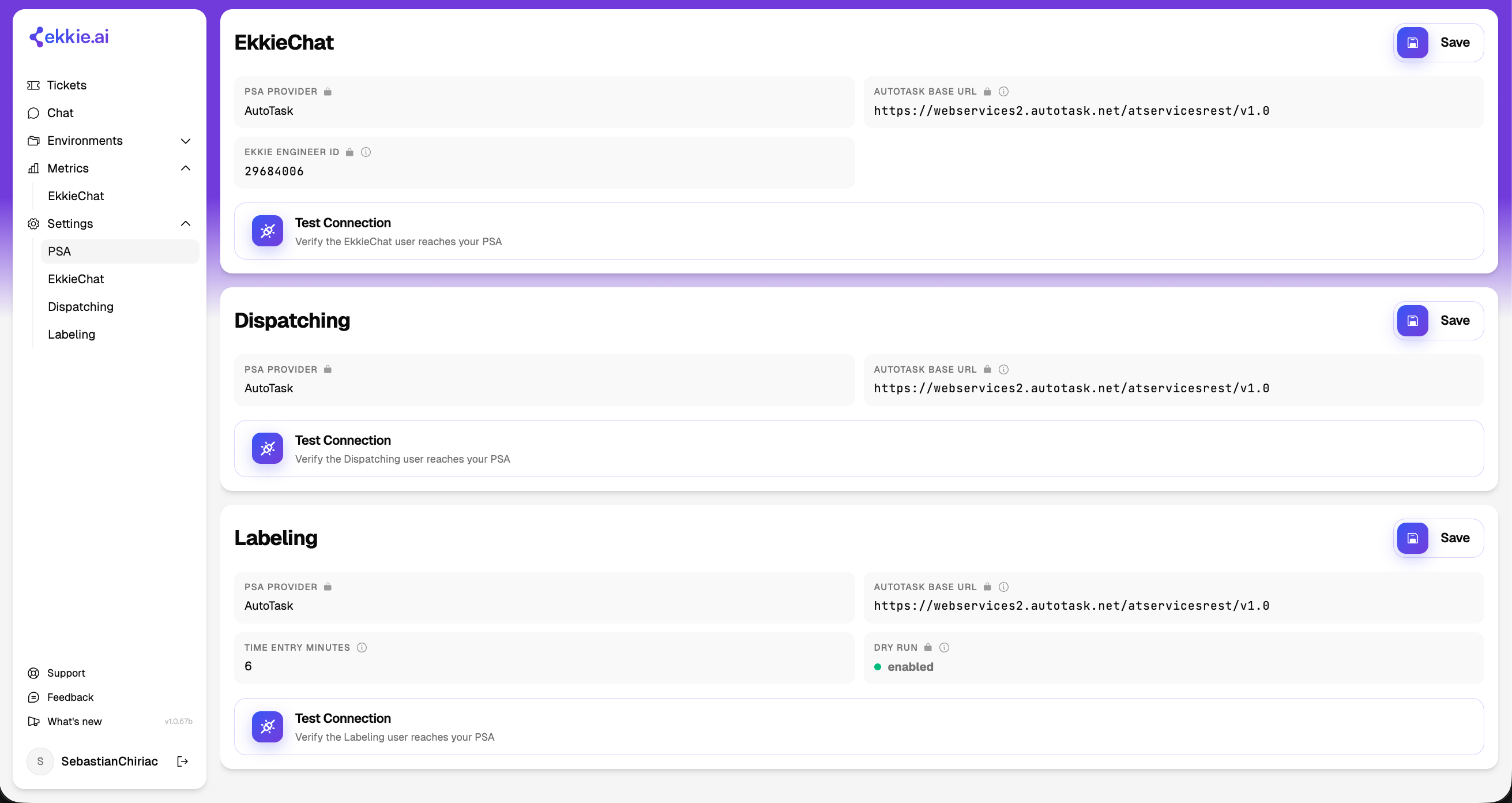
Each service's settings page has a PSA Connection panel showing how Ekkie reaches your PSA: the provider (Autotask), the base URL, and the Ekkie API user / engineer ID that service acts as.
These details are configured by the Ekkie support team during onboarding and shown read-only.
Test Connection checks that Ekkie can currently reach your PSA with that service's credentials — use it to confirm a connection is healthy or to spot a problem.
Monitoring connection health
The PSA Connection panel is where you keep an eye on whether each service can reach your PSA. A successful Test Connection means the service can read and write in Autotask; a failure means it cannot act until the connection is restored.
A connection usually fails because the API user was deactivated or its permissions or credentials changed — which is exactly what makes it a reliable on/off control (below).
A built-in killswitch
Because each service has its own Autotask API user, you always have a simple, immediate way to stop a single Ekkie service in your PSA — entirely under your control, with no code change and no need to contact Ekkie:
Deactivate that service's API user in Autotask and the service can no longer read tickets or write anything to your PSA. It stops at once.
Because the users are separate, turning one off does not affect the other services — you can pause Labeling while leaving Dispatching and EkkieChat running, or any other combination.
Re-enable the API user to bring the service back, then confirm with Test Connection.
Setup
For now, the Ekkie support team configures the PSA connection and its API users when you onboard, so the connection details are read-only in the app.
If you need a connection changed — or a new service connected — contact Ekkie support.