Ekkie Dispatching Documentation
Written By Casian
Last updated About 1 month ago
After Labeling runs on a new ticket, Ekkie Dispatching picks the right engineer to assign it to.
Getting started
Dispatching only assigns tickets to engineers you've switched on in Ekkie. Before (or right after) Ekkie support turns Dispatching on:
Make sure each engineer is active and set up correctly in your PSA.
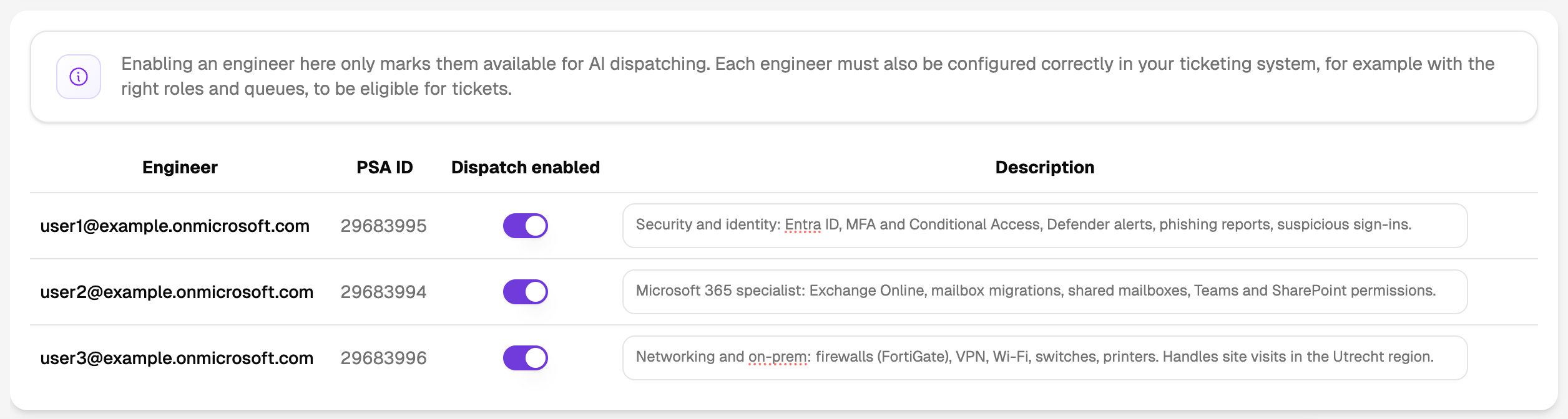
On the Dispatching page, turn on Dispatch enabled for each engineer who should get tickets. If you use AI fit scoring, also add a description (see Writing descriptions below).
The engineer table on the Dispatching page lists every Ekkie user that is linked to a PSA user (shown as PSA ID). Engineers without an Ekkie account won't appear. If no engineers are enabled, nothing gets assigned.
Writing descriptions
List the engineer's skills, products, specific clients and languages, for example: Exchange & Intune, VIP client Acme. If AI fit scoring is on (see Settings), Ekkie compares each description with the ticket text to find the best match. A blank description scores 0, so that engineer gets tickets mostly based on workload.
How Ekkie picks an engineer
Ekkie takes the dispatch-enabled engineers in the queue Labeling applied.
It skips inactive engineers, engineers with approved time off tomorrow, and engineers with an appointment starting soon (only when Skip engineers with upcoming appointments is on; see Settings). The appointment check works with Autotask only.
With AI fit scoring off, Ekkie picks the engineer with the fewest open tickets. With it on, the AI scores each engineer's fit for the ticket, and Ekkie weighs that against workload using the Workload vs fit balance setting. If the AI call fails, Ekkie falls back to workload only.
If nobody in the queue qualifies, Ekkie checks dispatch-enabled engineers in all queues. If still nobody qualifies, the ticket stays unassigned.
Settings
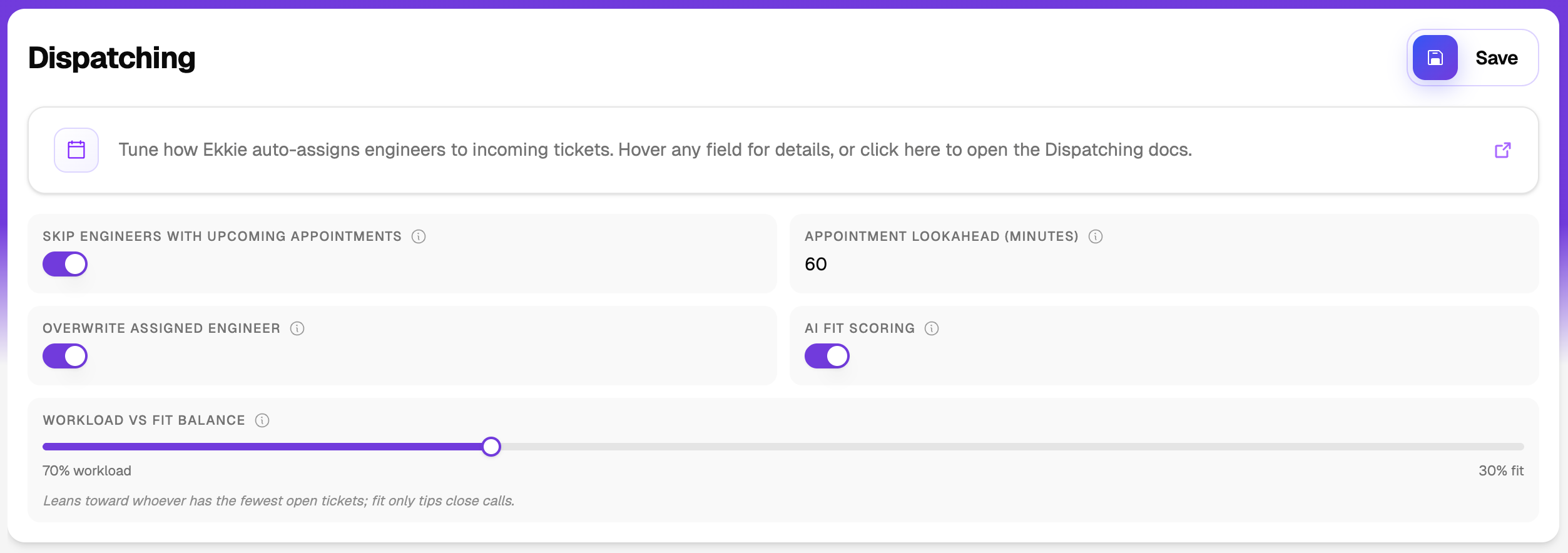
Overwrite assigned engineer: ON replaces manually assigned engineers; OFF only fills blanks. Default OFF. Leave it off until you trust Ekkie's choices.
AI fit scoring: ON matches tickets to engineer descriptions. OFF is purely workload-based.
Workload vs fit balance: 0% fit picks the engineer with the fewest open tickets, ignoring expertise. 100% fit picks the best match, regardless of workload.
Skip engineers with upcoming appointments: ON skips engineers with a meeting starting within the lookahead window. OFF ignores appointments and disables the lookahead field. Autotask only.
Appointment lookahead (minutes): How far ahead Ekkie looks for meetings. Higher values give engineers longer uninterrupted blocks; lower values spread tickets more widely.
Auto-dispatch on/off, a maximum number of open tickets per engineer, and custom ranking instructions are managed by Ekkie support.
Permissions
The Dispatching permission unlocks this page. Editing the engineer table also needs the User Management role. Without it, you'll see a notice instead of the table. Your admin can grant both from the Users page.
Potential issues
Tickets aren't being assigned: No engineers are enabled, or enabled engineers aren't in the right PSA queues.
An engineer never gets tickets: They have no Ekkie user or PSA ID, or aren't enabled.
Test Connection shows 'Credentials not configured': Your PSA connection isn't set up yet. Contact Ekkie support.
Related
Was this helpful?
Still need help? Ask the team